Yes. On Budtello, Oregon's wholesale cannabis marketplace, the Create offer window lets you move every ticked row's price together with Adjust all selected, instead of typing each lot's price one by one.
How to do it
- Click Create offer (or Offer on a narrow screen) to open the Create offer window, with your rows ticked — untick any row to leave it out
- Under Set your prices, use the buttons beside Adjust all selected to move every ticked row's Offer $/lb together with −$25 or +$25, or type a price into any row's Offer $/lb on its own
- Give any lot with no price a price before you go on — the window flags one that still needs it
- Click Create and copy email to send the offer, and look for "Sent — live now" with the link, plus Undo for a count of seconds
Video
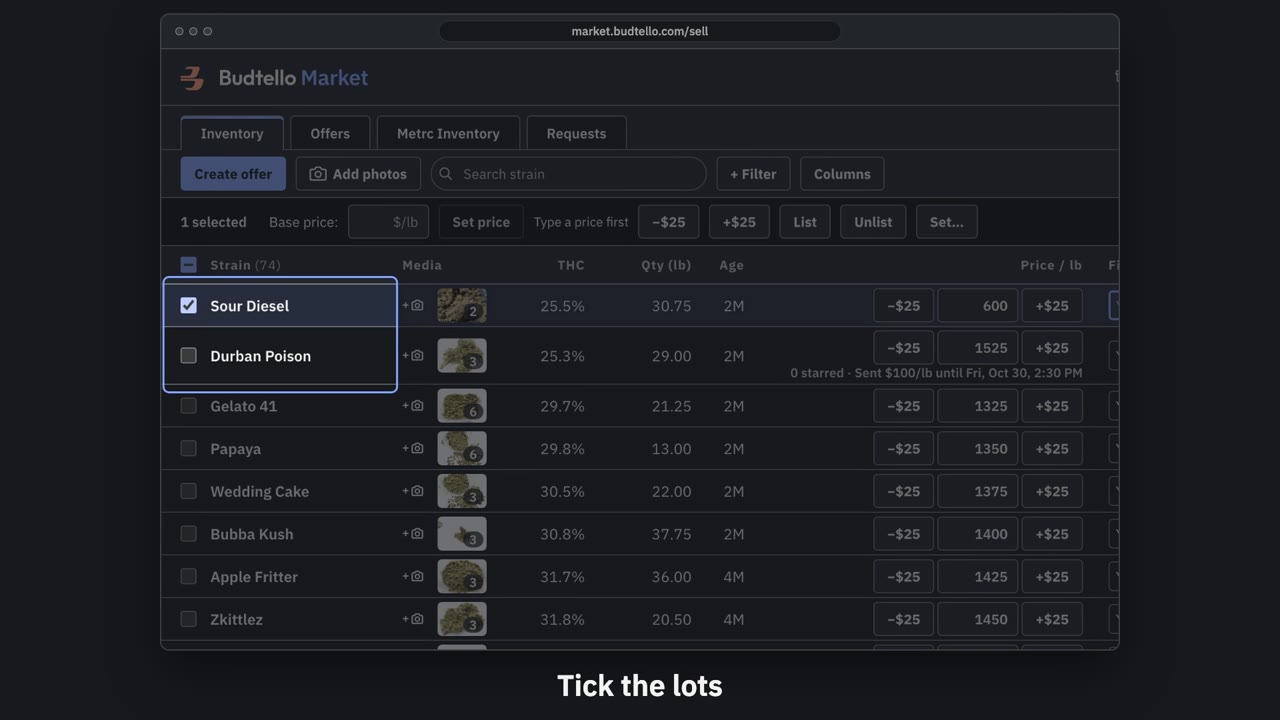
Make an offer and send it · 0:50
Video transcript
How to send a private offer. Tick the lots for this customer. An offer is a private price, for them alone. Press Create offer. Your list price, beside the price for this customer. Move them all at once, or type any price. Who it's for, and a note they'll see. How long it's good for: fourteen days, unless you change it. Here, seven days. Press Create and copy email. It's live, with thirty seconds to undo. Paste it into Gmail; they open it with no account. The full guide is in Budtello's help pages.
Good to know
- A lot with no price can still go in an offer — it becomes a private listing at the price you set, and doesn't go on the market
- Undo stops the link within 30 seconds of sending
- Your prices on the market do not change — the offer is a private price list on its own link