On Budtello, Oregon's wholesale cannabis marketplace, every quote sellers send on your request lands on that request's own page, so you can compare prices, strains and terms before you pick one.
How to do it
- Open your request and look at the Quotes column to see how many sellers quoted and the best price. New marks a quote that came in since your last visit.
- Click the row, or Open, to see every quote: the seller, the strain, the grade, the pounds and the price per lb.
- Click the strain on any quote to see the lot behind it.
- Click Open conversation to talk to that seller in Messages, where the price can be worked out further.
Video
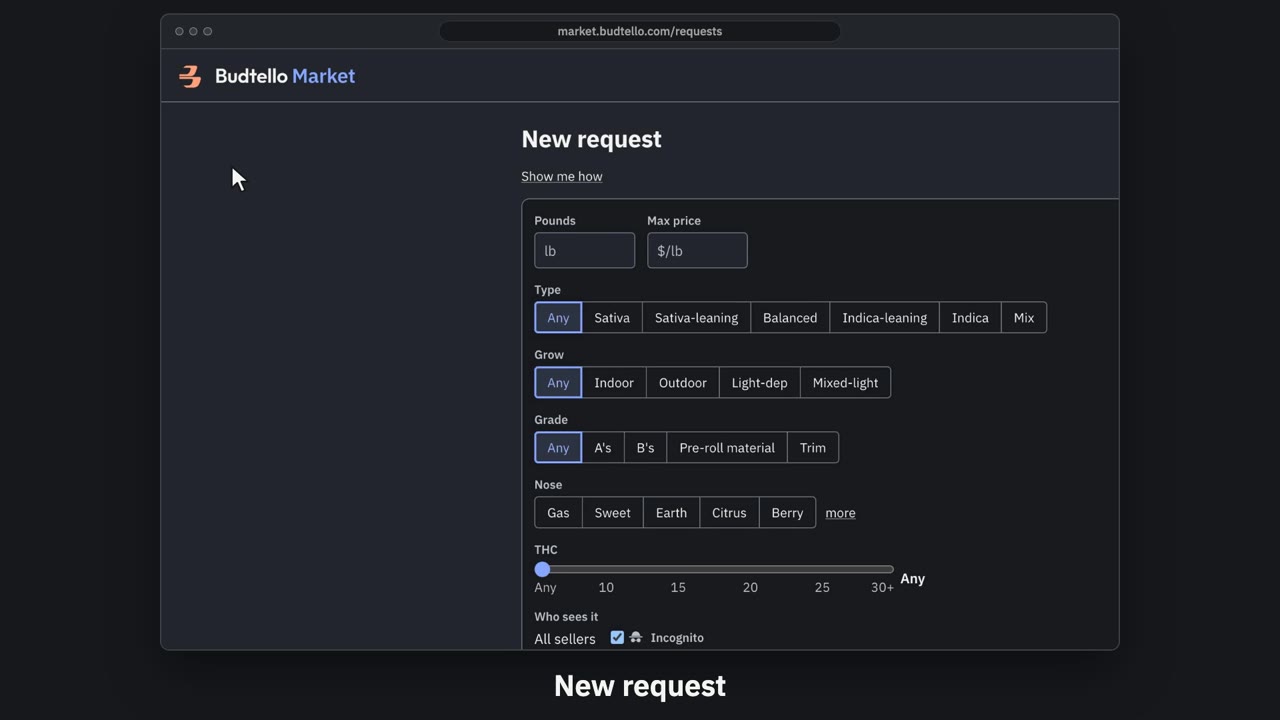
Post a request and read quotes · 0:57
Video transcript
How to post a request and read the quotes. Can't find it on the market? Post a request, and sellers quote you. On Requests, press New request. Fill in the pounds, and the most you'll pay a pound. Narrow it down if you like. Incognito is on: sellers see a verified buyer, until they quote. Check the market first. It shows what's already for sale close to your ask. Then post it. Posted. It runs for fourteen days. When sellers quote, the Quotes column says how many, and the best price. Open it. Every quote: the seller, strain, pounds and price. Only you see them. The full guides are in Budtello's help pages.
Good to know
- Only you see the quotes on your request; no seller sees another seller's quote.
- A seller who sees your request as "a verified buyer" learns your name once they quote.