On Budtello, Oregon's wholesale cannabis marketplace, yes: open your conversation with that dispensary and press About their name to see every price you've set for them.
How to do it
- Open your conversation with that buyer in your messages
- Press About followed by the buyer's name to open Your prices with them
- Press Add a price, pick the Strain and Grade, and type the figure into $ per lb
- Press Save price. The row reads the strain, grade and price, marked You set it, with a Remove to take it off
Video
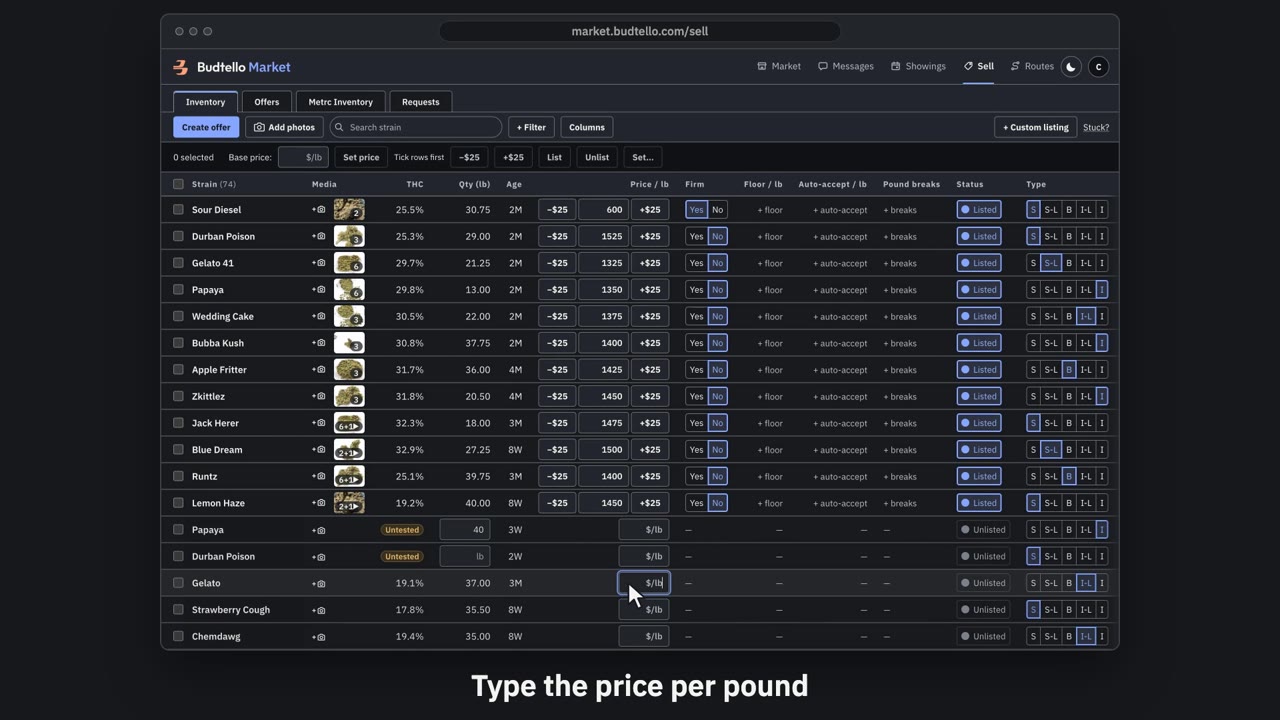
Price and list a lot · 0:46
Video transcript
Price and list a lot. An empty price box means the lot isn't on the market. Type a price per pound. Press Enter. A green message, bottom left, confirms it's listed at your price, with Undo for thirty seconds. Plus twenty-five raises a listed price. Minus twenty-five lowers it again. The switch takes it off the market. Your price is kept. Press Undo. It's straight back on the market. More guides in Budtello help.
Good to know
- Prices you've set for a customer live in one place: the panel behind their name in your conversation with them
- Each row is marked You set it, so you always know whose price it is
- The buyer sees the same price, read only, in its own panel for you; removing it there removes it from their view too