Yes. On Budtello, Oregon's wholesale cannabis marketplace, after you set a floor on ticked lots the confirmation message offers Undo for 30 seconds, and Undo puts each lot's own old floor back.
How to do it
- Open Sell (on a phone, tap the icon at the top)
- Tick the box beside each lot whose floor you want to change
- Press Set…
- Type the floor price into the floor box and press Set. A message confirms the floor was set, with Undo
- Press Undo within the 30 seconds it is shown. A message confirms the floor was put back on the lots
Video
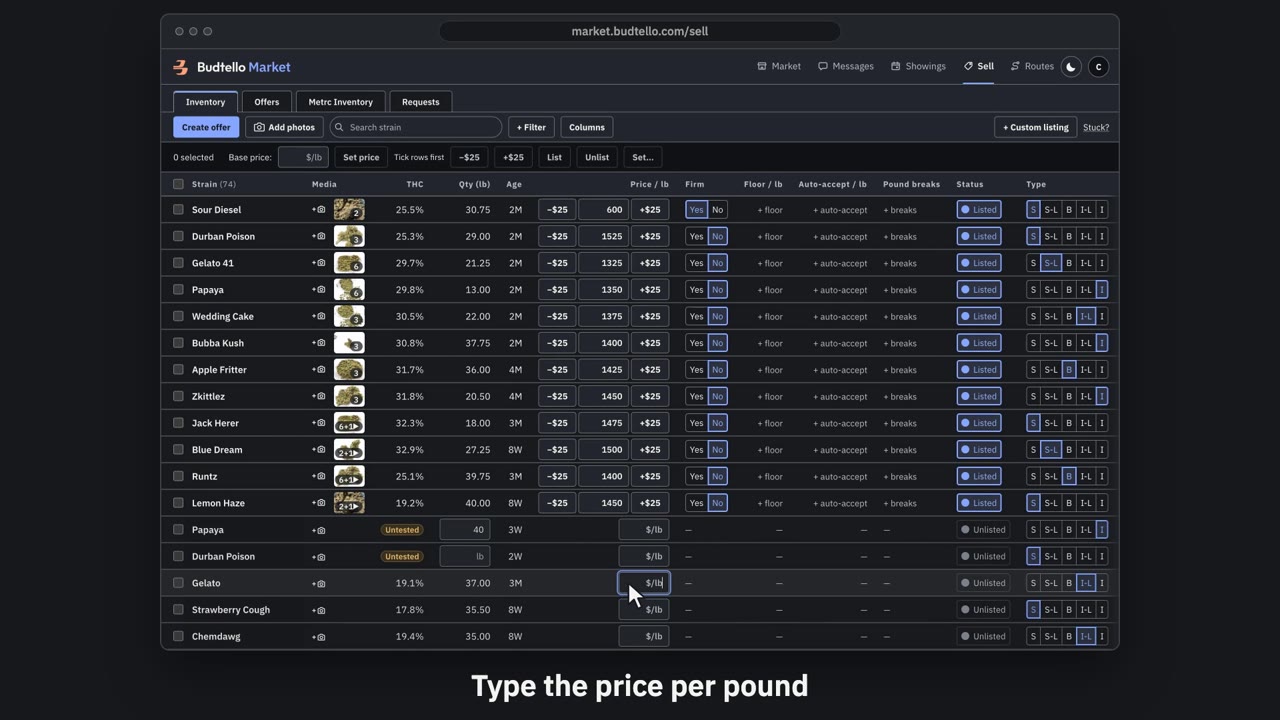
Price and list a lot · 0:46
Video transcript
Price and list a lot. An empty price box means the lot isn't on the market. Type a price per pound. Press Enter. A green message, bottom left, confirms it's listed at your price, with Undo for thirty seconds. Plus twenty-five raises a listed price. Minus twenty-five lowers it again. The switch takes it off the market. Your price is kept. Press Undo. It's straight back on the market. More guides in Budtello help.
Good to know
- A floor set by mistake, or at the wrong price, can be reversed without retyping each lot's old value.
- Undo restores each lot's own previous floor rather than a single shared number.
- The window is short, so acting straight after the confirmation message matters.