On Budtello, Oregon's wholesale cannabis marketplace, tick the lots on the Sell page, then press List or Unlist on the bar above the table to change every ticked lot in one go.
How to do it
- On Sell (on a phone, tap the icon at the top), find your priced lot rows
- Tick 2 or more rows you want to change
- Press Unlist on the bar to take them off, or List to put them back on
Video
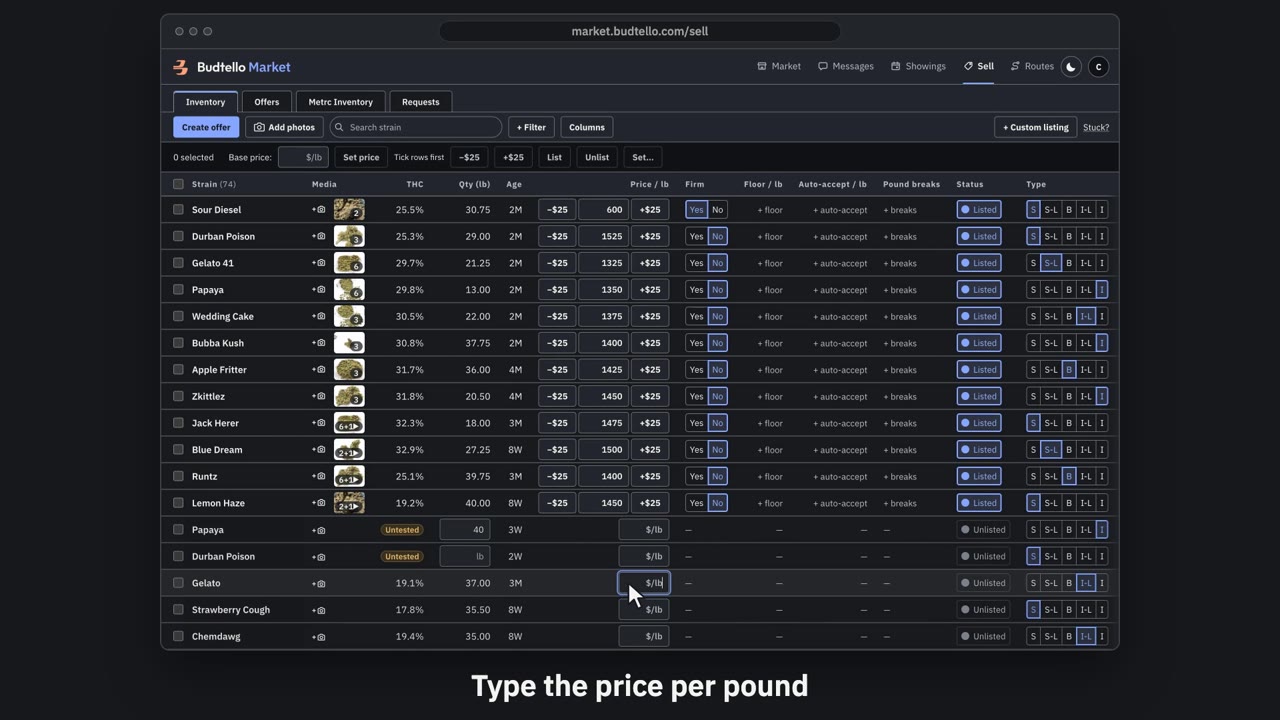
Price and list a lot · 0:46
Video transcript
Price and list a lot. An empty price box means the lot isn't on the market. Type a price per pound. Press Enter. A green message, bottom left, confirms it's listed at your price, with Undo for thirty seconds. Plus twenty-five raises a listed price. Minus twenty-five lowers it again. The switch takes it off the market. Your price is kept. Press Undo. It's straight back on the market. More guides in Budtello help.
Good to know
- The prices stay on the lots whichever way you switch them
- A message confirms how many lots changed, with Undo for 30 seconds
- With 10 rows or more, Budtello asks you to confirm first