On Budtello, Oregon's wholesale cannabis marketplace, Routes picks your starting point from your licence automatically, but if that licence has no address on file, the page says so where your starting point should be.
How to do it
- Open the Routes (on a phone, tap the icon at the top) page
- Look at the Leaving from section at the top, where your facility name shows
- See the message no address on file where the address would normally show
- Use + Add stop to drop a pin and carry on building the route
Video
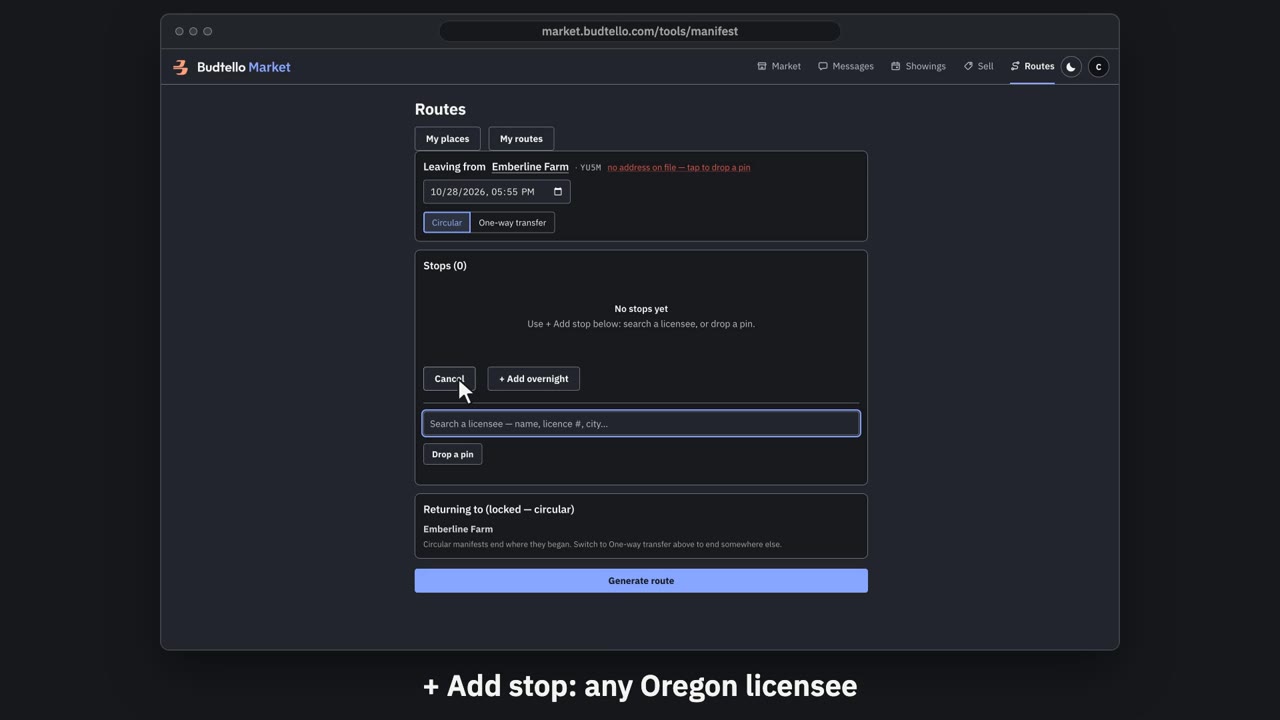
Plan a delivery run with Routes · 0:52
Video transcript
Plan a delivery run with Budtello Routes. Routes plans your delivery runs. It's free once you're verified. It leaves from your licensed premises. No address on file? Drop a pin once. Add stop searches every licensee in Oregon’s directory. Find one by name, licence number or city. My routes keeps your runs and templates. Here’s a run on the demo, with made-up stops. Each stop’s licence, arrival and departure is written out. With turn-by-turn route text. Your stop order, or the fastest. Copy it into your Metrc manifest. You still make the manifest in Metrc. Routes. Free for verified licensees.
Good to know
- Routes can't draw a starting point from a licence that has no address, so it tells you right there
- Dropping a pin by hand lets you carry on planning the rest of the route