On Budtello, Oregon's wholesale cannabis marketplace, an accepted price turns the card into Agreed in both sides' Messages threads, and it stays there for good: an agreement is history by design, with no delete.
How to do it
- On the seller side, open the thread in Messages (on a phone, tap the icon at the top) and the accepted card shows Agreed, with the customer price Not set unless you chose to set it when accepting
- On the buyer side, open the same Conversations thread and the counter card shows Agreed at the price it sent
Video
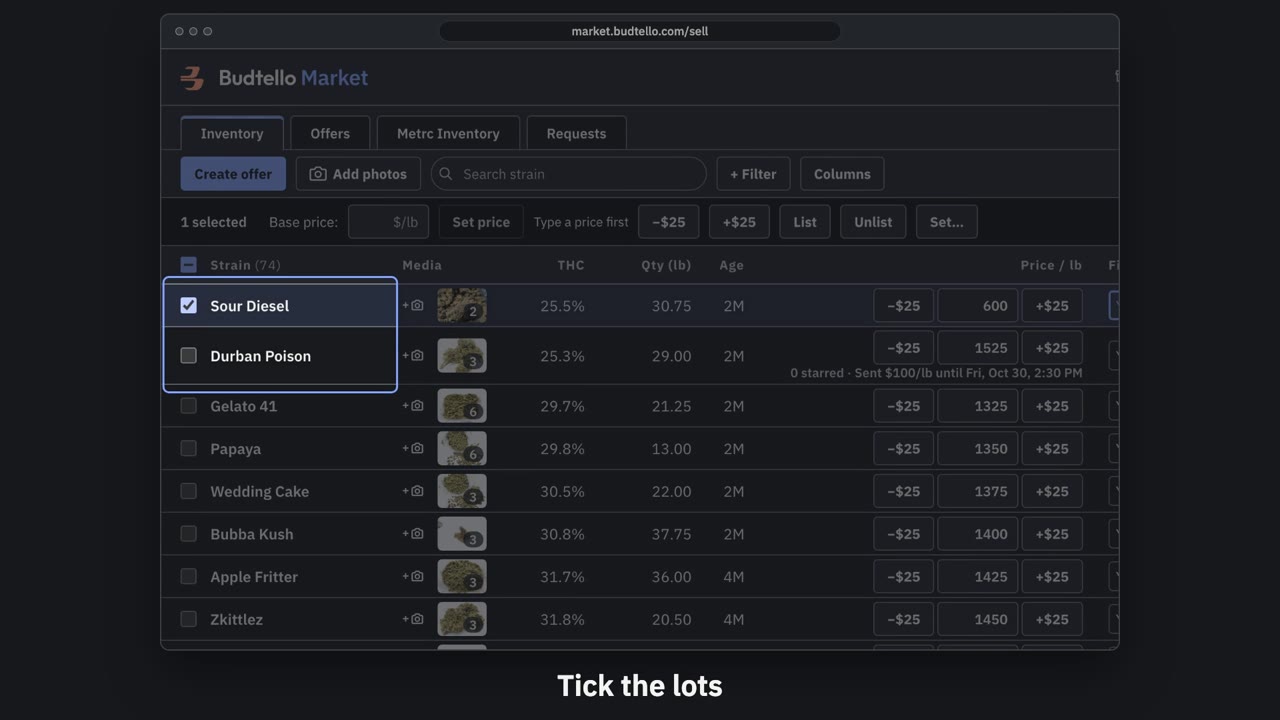
Make an offer and send it · 0:50
Video transcript
How to send a private offer. Tick the lots for this customer. An offer is a private price, for them alone. Press Create offer. Your list price, beside the price for this customer. Move them all at once, or type any price. Who it's for, and a note they'll see. How long it's good for: fourteen days, unless you change it. Here, seven days. Press Create and copy email. It's live, with thirty seconds to undo. Paste it into Gmail; they open it with no account. The full guide is in Budtello's help pages.
Good to know
- An agreement is history by design: there is no delete
- Accepting can ask whether to make that price the customer's set price in the same step; answering no leaves it Not set
- Any other open card between the pair is cleared automatically once one is agreed, so nothing is left waiting