On Budtello, Oregon's wholesale cannabis marketplace, a farm, wholesaler or processor opens Routes to plan a manifest route across several dispensary stops, instead of working out each delivery leg by phone and email.
How to do it
- Open Routes (on a phone, tap the icon at the top) to start planning a delivery run
- See the Leaving from address it offers, picked for the licence automatically when there is only one.
- Drop a pin if it shows no address on file, so the run has a starting point to draw from.
- Add each dispensary with + Add stop to build out the manifest route stop by stop.
Video
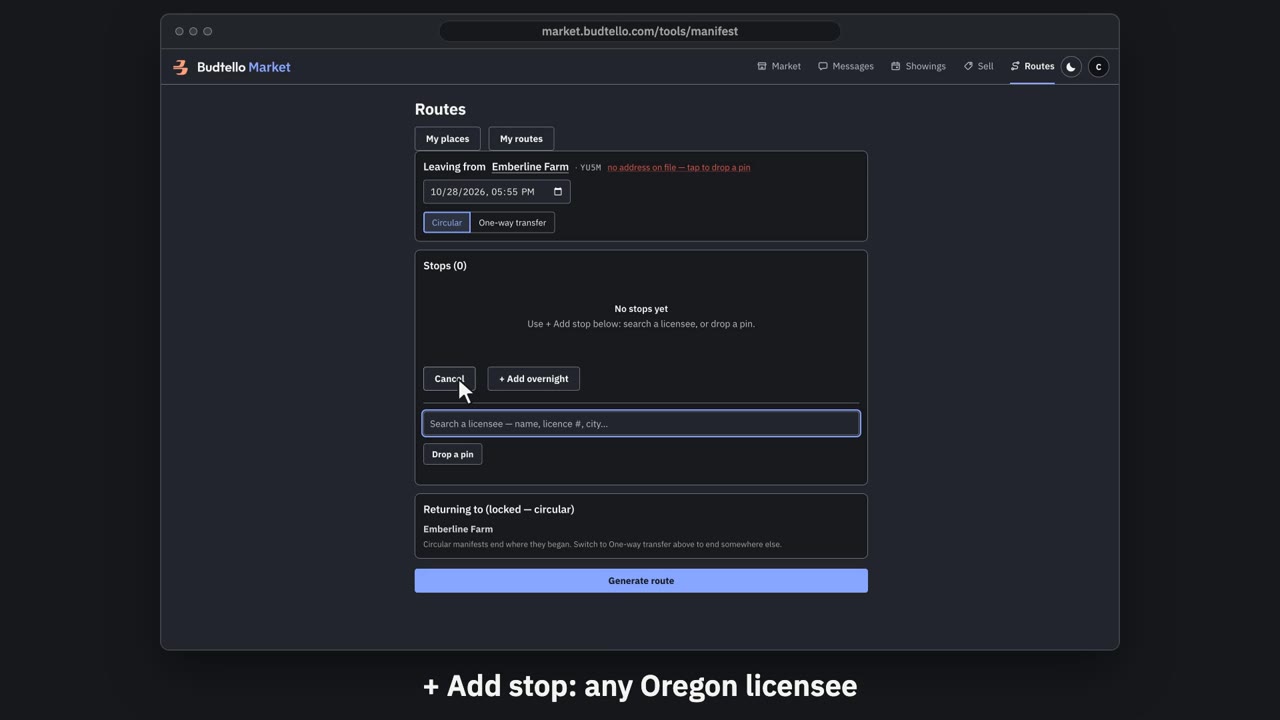
Plan a delivery run with Routes · 0:52
Video transcript
Plan a delivery run with Budtello Routes. Routes plans your delivery runs. It's free once you're verified. It leaves from your licensed premises. No address on file? Drop a pin once. Add stop searches every licensee in Oregon’s directory. Find one by name, licence number or city. My routes keeps your runs and templates. Here’s a run on the demo, with made-up stops. Each stop’s licence, arrival and departure is written out. With turn-by-turn route text. Your stop order, or the fastest. Copy it into your Metrc manifest. You still make the manifest in Metrc. Routes. Free for verified licensees.
Good to know
- The origin is worked out for the licence, so a run with one licence starts with zero picking.
- A route needs a pin on the map before it can be drawn at all.
- Planning a run this way replaces working out each stop by phone and email.
Step by step
- How do I see where my farm's routes leave from in Oregon?
- What do I do if my OLCC licence address isn't showing on my route?