On Budtello, Oregon's wholesale cannabis marketplace, a wholesaler keeps each dispensary's price in that customer's own conversation, or sends a private offer naming the buyer, so the quote stays with the customer instead of in your memory.
How to do it
- Open the conversation with that dispensary and set their own figure under Your prices with them — it sits beside their name, so it never gets mixed up with another buyer's price.
- The dispensary sees the same figure, read only, under Their prices with you in its own panel for you — nothing to note down separately.
- For a one-off quote, click Create offer, set it under Set your prices, and type the buyer's name under Who it's for so the offer itself records who it was for.
- Find that offer again later and use Send again if it has expired — the same lots, the same price, the same customer, with a new link.
Video
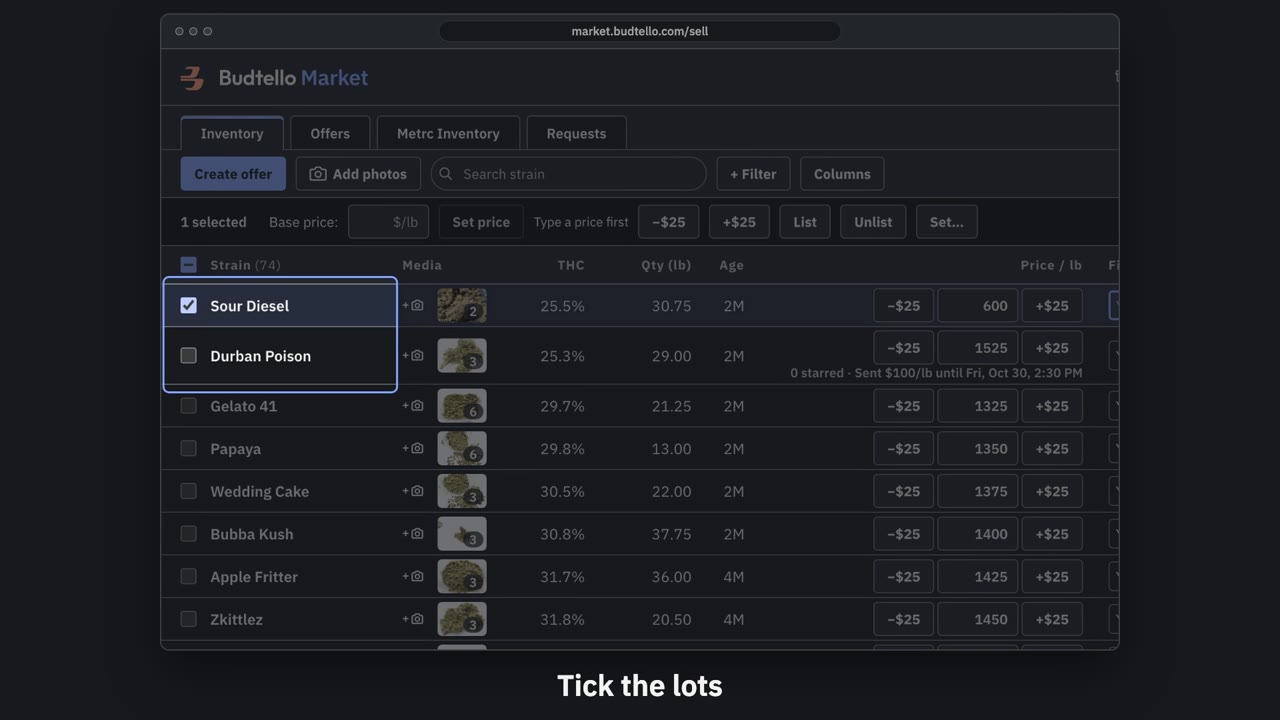
Make an offer and send it · 0:50
Video transcript
How to send a private offer. Tick the lots for this customer. An offer is a private price, for them alone. Press Create offer. Your list price, beside the price for this customer. Move them all at once, or type any price. Who it's for, and a note they'll see. How long it's good for: fourteen days, unless you change it. Here, seven days. Press Create and copy email. It's live, with thirty seconds to undo. Paste it into Gmail; they open it with no account. The full guide is in Budtello's help pages.
Good to know
- Each customer's price lives in one place, next to their name, instead of scattered across calls, texts and email threads.
- No digging back through old messages to remember what you told one dispensary versus another.
- A record you can reopen any time, rather than relying on memory for who got which number.
Step by step
- Can I see what prices I've set with each of my customers?
- How do I send a private price list to one buyer without changing my market prices?
- Can I set a different price for an offer than what I listed the lot for?